


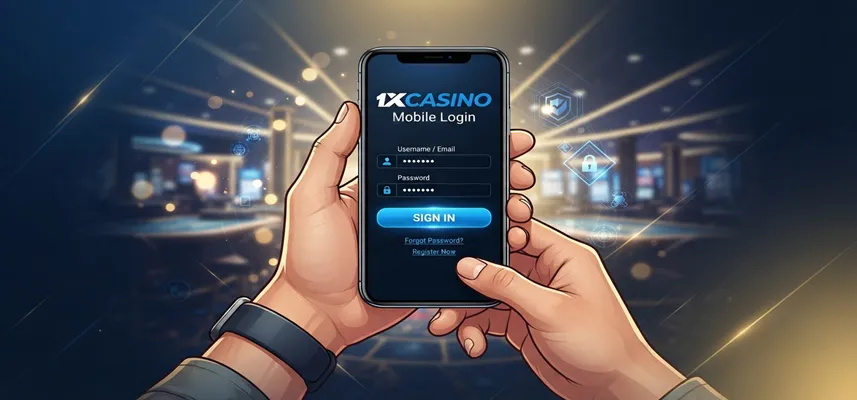
Signing into a casino account from a smartphone works differently than doing it from a full-size monitor, and 1xCasino mobile login is built around that difference rather than treating a phone as an afterthought. Fast access matters when a favourite slot needs a quick top-up before a train arrives, or a live blackjack table is about to deal a fresh shoe, and mobile users expect their credentials to work just as reliably as they would on a laptop. Account security carries the same weight on a five-inch screen as it does on a desktop monitor, since the same balance, personal details, and payment methods sit behind that login screen either way, regardless of the device used to reach it.
This 1xCasino mobile login guide walks through the sign-in process step by step, covers login through both the dedicated app and the mobile browser, looks at what to do when something goes wrong during sign-in, and compares mobile access with the desktop route so it is clear which option suits a given situation best. Android and iOS users are covered separately later on, since the two platforms handle installation and login in slightly different ways.
What Is 1xCasino Mobile Login?
Mobile login refers to the process of accessing an existing 1xCasino account through a smartphone or tablet, either through the mobile version of the website or through the dedicated application. The underlying account is identical to the one used on desktop, meaning the same username, password, balance, and betting history carry across every device without needing a separate registration. What changes is the layout of the login screen itself, which is resized and rearranged for a touchscreen rather than a mouse and keyboard, along with a handful of convenience features such as saved credentials and biometric unlock on supported phones.
The difference between desktop and mobile login comes down to context more than functionality. A desktop session usually happens at a fixed location with a stable connection and a large screen, while mobile login has to work reliably on a moving train, a patchy hotel connection, or a phone screen viewed in bright daylight. For that reason, mobile login forms tend to use larger input fields, simplified verification steps, and quicker error messages, all designed to reduce the friction of typing on a small keyboard. Anyone who has previously used the desktop 1xCasino login page already understands the fundamentals, since the mobile version follows the same logic with a different layout wrapped around it.
Users tend to prefer mobile access for the obvious reason that a phone is almost always within reach, while a laptop usually is not. Checking a bonus balance between meetings, placing a bet during a lunch break, or settling into a live dealer table from a sofa are all situations where mobile access outperforms desktop simply through availability. That convenience is also why so many players end up using mobile login far more often than the desktop version once they get used to it, even on days when a computer is sitting right next to them.
| Step | What Happens | User Action |
|---|---|---|
| Open Login Page | Mobile login screen loads in browser or app | Tap the login button |
| Enter Details | Username and password fields appear | Enter account credentials |
| Verify Account | Additional security check may appear | Confirm verification code if required |
| Access Dashboard | Account area opens with balance and settings | Start managing the account |
How to Login to 1xCasino on Mobile
The mobile sign-in process follows four general stages, and understanding each one in turn makes the whole routine faster the next time around. Whether someone is logging in through a browser tab or the dedicated app, the sequence below covers what actually happens between opening the page and reaching the account dashboard. Knowing how to login to 1xCasino properly the first time also avoids most of the confusion that leads to repeated password attempts or accidental account lockouts.

Open the 1xCasino Login Page
The process starts by opening the login page through a mobile browser, which can be reached either by typing the official address directly or by tapping a bookmarked shortcut saved to the home screen. On most phones, the page loads in a simplified mobile layout automatically, with the sign-in form placed near the top of the screen rather than buried under a full desktop-style menu. This layout choice matters more than it might seem, since it means players do not need to scroll or pinch-zoom just to find the username and password fields.
For anyone who plans to log in often, saving the login page as a home screen shortcut removes an extra step every time, functioning almost like a lightweight app icon without requiring an actual installation. This is a useful middle ground for players who are not ready to download the full application yet but still want quicker access than typing a web address each time. Either approach leads to the same login form, so the choice mostly comes down to personal preference and how often the account gets used.
Enter Your Account Details
Once the login page is open, the next step is entering the registered username or email address alongside the account password. Mobile devices generally support autofill through the phone’s password manager, which can save time and reduce typing errors on longer or more complex passwords. It is worth confirming that the correct account details are being entered, particularly for players who manage more than one online account, since entering the wrong credentials repeatedly can sometimes trigger a temporary lock as a security measure.
Account information itself typically includes the same login credentials set up during registration, so no separate mobile-specific username is required. Players who registered directly through the mobile site or app use the same details they created at that time, and those details work identically whether accessed from a phone, tablet, or desktop computer. Keeping this information consistent across devices is part of what makes 1xCasino sign in straightforward regardless of which screen someone happens to be using at the time.
Complete the Sign In Process
After entering the account details, tapping the sign-in button submits the credentials for verification. In most cases, this step completes within a second or two, taking the player directly to their account dashboard without any further input needed. Some sessions may include an additional verification prompt, particularly if the login is happening from a new device or an unfamiliar location, which is a standard security measure rather than a sign of a problem with the account.
Two-factor verification, where enabled, usually involves a short code sent by SMS or email that needs to be entered before the session goes through. This extra step takes only a few seconds longer but adds a meaningful layer of protection, especially useful for players who log in from public Wi-Fi networks or shared devices. Completing this stage successfully finishes the 1xCasino sign-in process and hands control over to the account dashboard.
Access Your Account Dashboard
Once signed in, the account dashboard becomes the central hub for everything related to the player’s profile. Balance information sits front and centre, typically alongside quick links to deposits, withdrawals, and any active bonuses tied to the account. From this same screen, players can also adjust account settings, review recent transactions, or update personal details without needing to navigate away from the mobile session entirely.
Accessing games from the dashboard works through a simple menu structure, usually organised by category such as slots, table games, and live casino. Because the dashboard is built specifically for mobile screens, switching between checking a balance and jumping into a game takes only a couple of taps rather than a full page reload. This tight integration between account management and game access is one of the more practical advantages of logging in through mobile rather than trying to use a desktop-oriented layout on a small screen.
1xCasino Mobile App Login Process
Logging in through the dedicated mobile application follows a similar pattern to the browser version, but with a few differences worth understanding before choosing one over the other. Once the app is installed, opening it presents a login screen almost immediately, without the loading time associated with a full website rendering in a browser tab. This is one of the clearer advantages of 1xCasino app login, since the app only needs to load its own interface rather than an entire mobile site. This app-based route is simply one of two ways to complete 1xCasino mobile login, alongside the browser method already covered earlier in this guide.
The app also tends to support saved login sessions more reliably than a browser, meaning that once a player signs in, the app can remain logged in between sessions unless manually signed out. Browser-based login sometimes requires re-entering credentials after a browser cache clears or after switching between multiple tabs, which the app avoids entirely by keeping the session active in the background. For players who check their account multiple times a day, this difference alone can make 1xCasino mobile app login noticeably more convenient than repeatedly opening a browser tab.
Benefits of using the app extend beyond login speed as well. Push notifications alert players to account activity and promotions without needing to open the app first, and the interface itself is built specifically for a phone screen rather than adapted from a desktop layout. Anyone installing on an Android device can find a complete walkthrough on the 1xCasino Android app page, covering the download and setup process from start to finish before the first login even happens.
iPhone and iPad users can follow the equivalent steps on the 1xCasino iOS app guide, which walks through the same installation process adapted for Apple’s system and settings.
1xCasino Android Login Guide
Android users generally reach the login screen in one of two ways, either through the installed application or through a mobile browser bookmark, and both lead to the same account once signed in. For players who installed the app directly through a 1xCasino APK download rather than an app store listing, the login screen appears immediately after the first launch, prompting for the same username and password used on any other device. There is no additional Android-specific registration step involved, so existing account details work exactly as expected the first time the app opens.
APK users occasionally run into one extra prompt during their first login attempt, usually related to permissions the app requests upon opening, such as storage access for saving login sessions locally. Granting these permissions is a normal part of the setup and does not affect account security in any meaningful way, since they relate to how the app functions on the device rather than to the account itself. Once permissions are confirmed, 1xCasino Android login proceeds the same way as it would on any other properly installed application.
A few common considerations are worth keeping in mind for Android users specifically. Devices running older versions of Android may experience slightly slower load times when opening the app for the first time, though this typically resolves after the initial cache builds up. Players who reinstall the app after a phone reset or a factory wipe will need to sign in again from scratch, since local session data does not survive a full device reset, but the account itself remains untouched and ready to use with the original login details.
1xCasino iOS Login Guide
iPhone and iPad users follow a comparable process, though the installation route through Apple’s ecosystem introduces a few differences worth understanding. After installing the app through the official link provided on the 1xCasino site, opening it for the first time presents the same login screen as the Android version, asking for the registered username and password. iOS devices commonly support Face ID or Touch ID integration for supported apps, and where this feature is available, it can speed up return visits considerably once the initial 1xCasino iOS login has been completed manually the first time.
App access on iOS sometimes requires an additional trust confirmation within the phone’s general settings menu before the app is allowed to open, a standard step for applications installed outside the main App Store listing. This is a one-time requirement rather than something that needs repeating with every login, and once confirmed, the app opens normally going forward. Players who prefer to skip this step entirely can use the mobile browser option instead, which carries no installation requirement and reaches the same account through a standard login form.
The mobile browser remains a fully capable alternative for iOS users who are not ready to install anything, offering the complete range of games and account features without any of the trust settings or permissions associated with the app. Switching between the two is possible at any point, since both routes connect to the same underlying account, so a player could use the browser one day and the installed app the next without any conflict between the two.
Common 1xCasino Login Problems and Solutions
Login issues happen occasionally, and most of them fall into a handful of predictable categories that are usually simple to resolve. Understanding the most frequent 1xCasino login problems in advance can save time when something does not work as expected during 1xCasino mobile login, rather than needing to guess at the cause each time.
This 1xCasino mobile login guide also covers the most common sign-in challenges, app access options, and practical solutions for Android and iOS users. Knowing how different login methods work makes it easier to avoid unnecessary delays and keep account access straightforward across devices.
| Login Problem | Possible Cause | Solution |
|---|---|---|
| Forgot Password | Password cannot be remembered | Use password reset option |
| Incorrect Login Details | Typing mistake or outdated saved password | Check credentials and try again |
| Verification Delay | Code not received immediately | Wait and request a new code |
| Connection Error | Weak Wi-Fi or mobile signal | Switch network and retry |
| App Not Opening | Installation or cache issue | Restart or reinstall the app |
Forgotten Password
A forgotten password is one of the most common login issues, and it is resolved through the standard password reset option available on the login page. Tapping the reset link prompts for the registered email address, after which a reset link or temporary code is sent to that inbox within a few minutes. Following the instructions in that message allows a new password to be set, after which the updated credentials work immediately on both mobile and desktop.
It helps to check spam or junk folders if the reset email does not appear within a reasonable amount of time, since email providers occasionally filter automated messages incorrectly. Choosing a new password that has not been used previously on the account is generally recommended, both for security reasons and because some systems block immediate reuse of a recently changed password.
Incorrect Login Details
Entering an incorrect username or password is another frequent cause of failed login attempts, often due to a simple typing mistake rather than an actual account issue. Mobile keyboards can make it easy to hit an adjacent key by accident, particularly with longer passwords containing a mix of numbers and symbols, so double-checking each character before submitting is worth the extra few seconds. Autofill features can also occasionally insert outdated saved credentials if a password was recently changed, which is worth ruling out before assuming there is a deeper problem.
Repeated incorrect attempts sometimes trigger a short-term lockout as a security precaution, designed to prevent automated attempts to guess a password. If this happens, waiting the specified lockout period before trying again usually resolves the issue without needing to contact support, though a full password reset remains available if there is any doubt about the correct details.
Account Verification Issues
Verification issues typically arise when a login attempt comes from a new device or an unfamiliar location, prompting an additional identity check before access is granted. This usually takes the form of a code sent by email or SMS, and entering it correctly completes the login as normal. Occasionally, a delay in receiving this code can make the process feel stuck, though refreshing the request after a minute or two usually resolves the delay without further action needed.
In rarer cases, verification issues stem from incomplete account setup, such as an unconfirmed email address from registration that was never followed through. Completing any pending verification steps from the original sign-up process usually clears this type of issue permanently, after which future logins proceed without the same prompt reappearing.
Connection Problems
Connection problems are usually related to the mobile network or Wi-Fi signal rather than anything on the account side. A weak or unstable connection can cause the login page to load slowly or time out before credentials are submitted, which is easily mistaken for an account issue when it is actually a network one. Switching between mobile data and Wi-Fi, or moving to an area with a stronger signal, typically resolves this without needing to touch the account itself.
Clearing the browser cache or restarting the app can also help in cases where a previous session left behind outdated data that is interfering with a fresh login attempt. If problems continue after trying these basic steps, reaching out to customer support with a description of the exact error message is usually the fastest way to get a more specific explanation of what went wrong.

Is 1xCasino Mobile Login Secure?
Security on mobile login follows the same standards applied across the platform as a whole, using encryption to protect account credentials as they travel between the device and the server. This means that login information is not sent in a readable format at any point during the process, regardless of whether the connection is happening over Wi-Fi or mobile data. Password protection also extends to how the information is stored on the server side, using industry-standard hashing methods rather than storing plain text passwords anywhere in the system.
Personal information tied to the account, including payment details and identity verification documents where applicable, is handled under the same security policies as the login credentials themselves. This layered approach means that even if login access were somehow compromised, additional account protections would still need to be bypassed before any sensitive information became accessible. Two-factor verification, where enabled by the player, adds a further barrier that significantly reduces the risk of unauthorised access even if a password were guessed or leaked elsewhere.
User responsibility plays an important role in maintaining that security as well. Using a unique password not shared with other accounts, avoiding public Wi-Fi networks for sensitive transactions where possible, and logging out of shared or public devices after each session are all simple habits that reduce risk considerably. No security system is entirely foolproof, but combining strong account-side protections with sensible personal habits keeps the overall risk low for the vast majority of players.
1xCasino Mobile Login vs Desktop Login
Comparing mobile and desktop login side by side highlights where each option has a natural advantage, and understanding these differences can help decide which one fits a particular situation better. Neither option is objectively superior across every category, since the right choice often depends on what a player is doing at that moment rather than a fixed preference.
| Feature | Mobile Login | Desktop Login |
|---|---|---|
| Accessibility | Available anywhere with a signal, no fixed location needed | Requires a computer and a stable setup |
| Login Speed | Fast, especially through the app with saved sessions | Fast, but requires opening a browser and typing a full address |
| Interface | Simplified layout built for touch and smaller screens | Full layout with more information visible at once |
| Account Management | Covers balance, settings, and history from a compact dashboard | Same features, presented across a larger screen |
| Device Compatibility | Works across Android and iOS, browser or app | Works across any modern desktop browser |
The table makes clear that both routes reach the same account with the same underlying features, so the real differences come down to context and convenience rather than missing functionality on either side. Mobile login tends to win on flexibility, since it goes wherever the player goes, while desktop login can feel more comfortable for players who prefer a larger screen for reviewing detailed account history or managing multiple browser tabs at once. Many players end up using both depending on the situation, checking a balance on mobile during the day and settling into a longer desktop session in the evening.
Benefits of Using 1xCasino Mobile Access
Quick account access is the most obvious benefit of 1xCasino mobile access, since a phone is almost always within reach compared to a computer that needs to be located, opened, and started up. This immediacy changes how players interact with their account day to day, turning what might have been a single evening desktop session into several shorter check-ins spread throughout the day. Balance checks, quick deposits, or a fast look at an active promotion all become far more casual activities once mobile access removes the friction of sitting down at a computer, which is part of why 1xCasino mobile login has become the default way most players start a session.
Smartphone convenience extends beyond just speed as well, since the same device used for messaging, browsing, or streaming can also handle the entire casino account without needing separate hardware. Managing an account from anywhere, whether that means a commute, a waiting room, or a quiet moment at home, means players are no longer tied to a specific location to stay on top of their account. This flexibility is part of why mobile traffic has become the dominant way most players interact with online casinos generally, not just at 1xCasino specifically.
Accessing games easily rounds out the practical benefits, since the same login that opens the account dashboard also leads directly into the full games library without any separate sign-in step. For a closer look at everything the mobile experience includes beyond login itself, the 1xCasino mobile app features guide covers the broader feature set in more depth, from live casino streaming to payment options built specifically for phones and tablets.
More 1xCasino Mobile Login Resources
Getting comfortable with 1xCasino mobile login is often just the starting point for a broaHow to Login to 1xCasino on Mobileder mobile setup, since most players go on to explore device compatibility, app installation, and everyday account access once signing in becomes second nature. Understanding how login, app setup, and daily account use fit together makes the whole mobile routine easier to navigate from that point forward.
For a broader look at how login, device access, and setup work together in practice, the 1xCasino mobile app pillar page brings devices, features, and setup steps into a single resource worth keeping alongside this guide.
Why 1xCasino Mobile Login Makes Access Easier
The 1xCasinı mobile login brings together speed, flexibility, and account security in a way that fits naturally into how most players actually use their phones day to day. Whether that means a quick balance check on a break or settling into a longer live casino session from a sofa, the process covered throughout this guide applies the same way regardless of which specific moment prompts it.
Choosing between the app and the browser mostly comes down to how often an account gets used and how much convenience is worth the initial installation step. Frequent players tend to lean toward the app for its faster load times and persistent sessions, while occasional visitors often find the browser option perfectly sufficient without needing to install anything at all. Either path leads to the same account, the same games, and the same level of protection, so there is no wrong choice here, only the one that fits a particular routine best. Setting up mobile access properly from the start makes every future login faster and more straightforward from that point onward.
Responsible gambling is an important part of any online gaming activity, including how and when an account gets accessed on the go. Players who want additional information about setting deposit or time limits, understanding their own gambling habits, or reaching confidential support can find free resources through GambleAware, an independent organisation dedicated to safer gambling practices.
FAQs About 1xCasino Mobile Login
What is 1xCasino mobile login?
1xCasino mobile login refers to signing into an existing account through a smartphone or tablet, either using the mobile version of the website or the dedicated application. It uses the same username and password created during registration, completes the 1xCasino sign-in step in just a few taps, and provides access to the same balance, game library, and account settings available on desktop. The main difference lies in the layout, which is adjusted for touchscreens rather than a mouse and keyboard.
How to log in to 1xCasino?
Logging in involves opening the login page through a mobile browser or the app, entering the registered username or email along with the account password, and completing any additional verification step if prompted. Once submitted, the credentials are checked within a couple of seconds, after which the account dashboard loads automatically. This full process for how to log in to 1xCasino works identically whether accessed from Android, iOS, or a desktop browser.
Can I use 1xCasino app login on mobile?
Yes, the dedicated mobile application supports the same account details as the browser version. The 1xCasino app login provides quick access to your account, allowing you to manage settings and continue playing directly from your smartphone. The app can also keep sessions active, making future logins faster and more convenient.
Does 1xCasino have Android login?
Yes, Android users can log in either through the installed application, typically downloaded as an APK file, or through a mobile browser. Both routes lead to the same account, and no separate Android-specific registration is required beyond the credentials already created during sign-up.
Does 1xCasino support iOS login?
Yes, iPhone and iPad users have access to a dedicated app login process as well as a mobile browser option. The app may require a one-time trust confirmation in the phone’s settings before opening for the first time, and Face ID or Touch ID can be used afterward on supported devices to speed up future logins.
What are common 1xCasino login problems?
The most frequent login problems include forgotten passwords, incorrect account details entered by mistake, verification prompts triggered by a new device or location, and connection issues related to a weak signal rather than the account itself. Nearly all of these are resolved through simple steps such as a password reset, double-checking entered details, or switching to a more stable connection.
How do I reset my 1xCasino password?
Resetting a password starts with the reset option on the login page, which asks for the registered email address on file. A reset link or temporary code is sent to that inbox, and following the instructions allows a new password to be set immediately. The updated password then works across every device without any further action needed.
Is 1xCasino mobile login secure?
Yes, mobile login uses encryption to protect credentials in transit, along with secure storage practices on the server side that avoid keeping passwords in a readable format. Additional protections such as two-factor verification add another layer of security for players who choose to enable them, and following basic habits like using a unique password further reduces overall risk.